Diagrams
Introduction
The first aim is to explore various digramming techniques, and prepare how-to documents for working with each type of diagramming tool.
The second aim is to define which diagrams are needed when.
The third aim is to establish some useful standards to help get the best from our diagramming efforts
Diagramming Tools
The child pages cover the use of several "tools" which both integrate well into an authoring flow, and produce quality outputs in terms of minimal effort and standard/compatible outputs.
Which Diagrams and When?
Uncertainty exists around which diagrams are required and when. The result is a random and incomplete visual depiction of what is generally needed.
It is not a precise science, but here we aim to provide some guidance.
Our recommendations are orientated across the dimensions of technology vs time.
- each layer of the technology stack has preferable diagram types, but sharing the same diagrams across layers is super important
- as time progresses, higher-level landscape diagrams expand into lower-level details
- diagrams are of limited value without being in context ... usually as part of explanatory documentation
- diagramming effort increases with detail... and hence it may become part of the SoW for the deliverying team to provide detailed "artifacts"
Remember, the process of creating the diagram is as important as the final picture. Try to make it a team sport with the key stakeholders - think brainstorming, team-building, buy-in, knowledge-sharing etc.
Terminology
Diagramming has its own language, so some terms to clarify
- DaC - Diagram as Code: diagram description in text format, and then rendered visually according to description/syntax
User Experience
The user experience diagramming overview is depicted by:
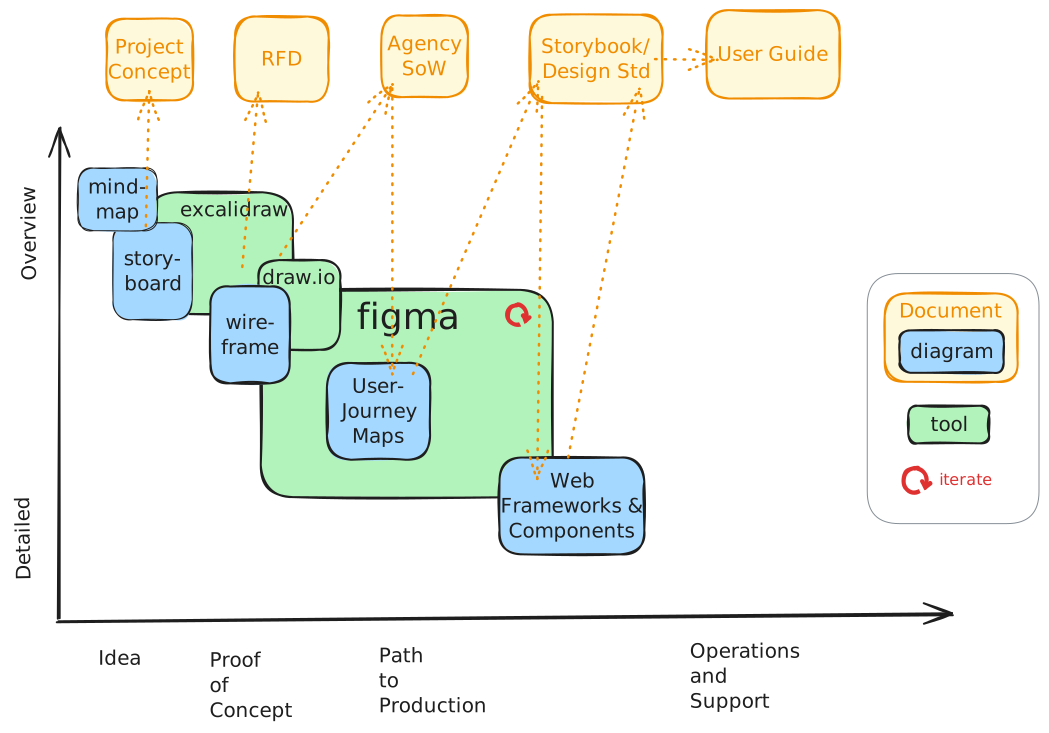
As a general rule, Figma is the most prevasive of the diagram tooling choices but it has a higher barrier to entry (licensing, user skill needed etc.). Hence is can be stated
- Figma is the diagramming tool of choice
- Figma is the system of record for ux design elements
- Excalidraw and draw.io are acceptable to support progress but do not represent a production standard system of record.
- strong attractive visuals are welcome within the bounds of brand guidelines, defined web components etc.
Data
The data diagramming overview is depicted by:
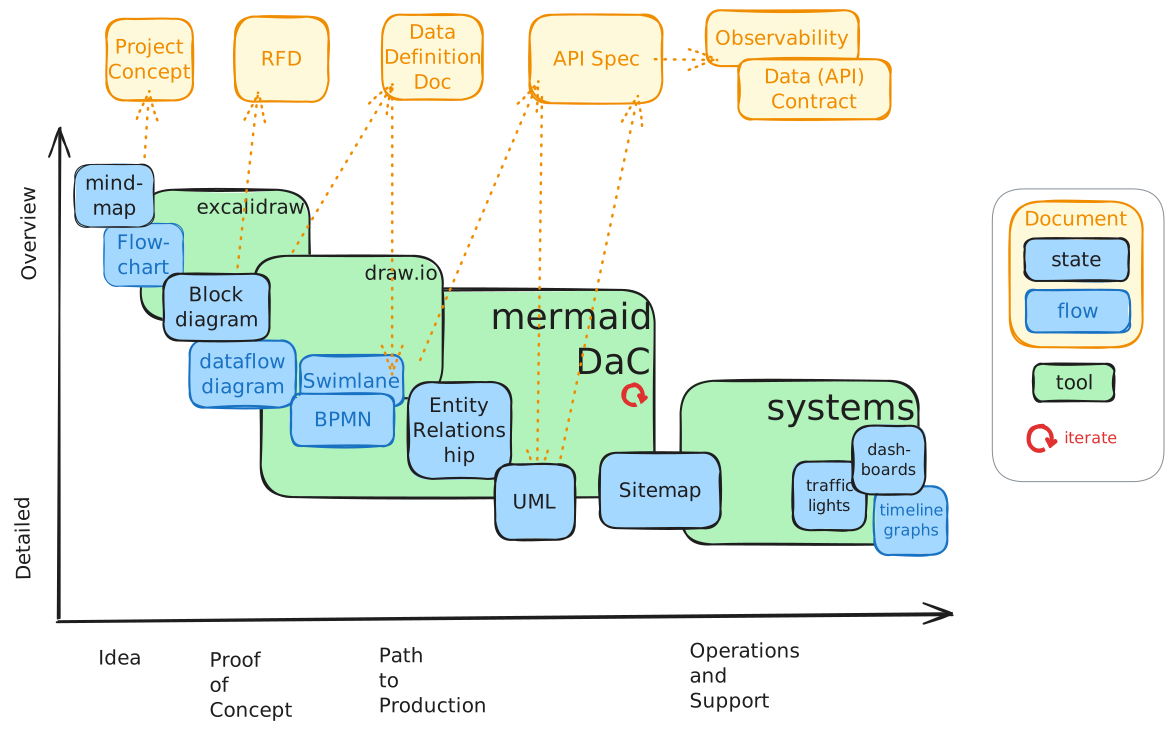
It is characterised by
- starting with conceptual diagramming and finishing with ongoing system generated diagrams
- broadly splits into two categories
- data at rest (schemas, ER diagrams etc.)
- data in transit (flow charts, transformations)
- early stage use of excalidraw, draw.io etc then move to detailed digramming ideally (semi-automated) e.g system generated ER or diagram as code, and finally ongoing systems representation of data behaviour for observability (volumes, alerts etc. related to data)
Application
The application diagramming overview is depicted by:
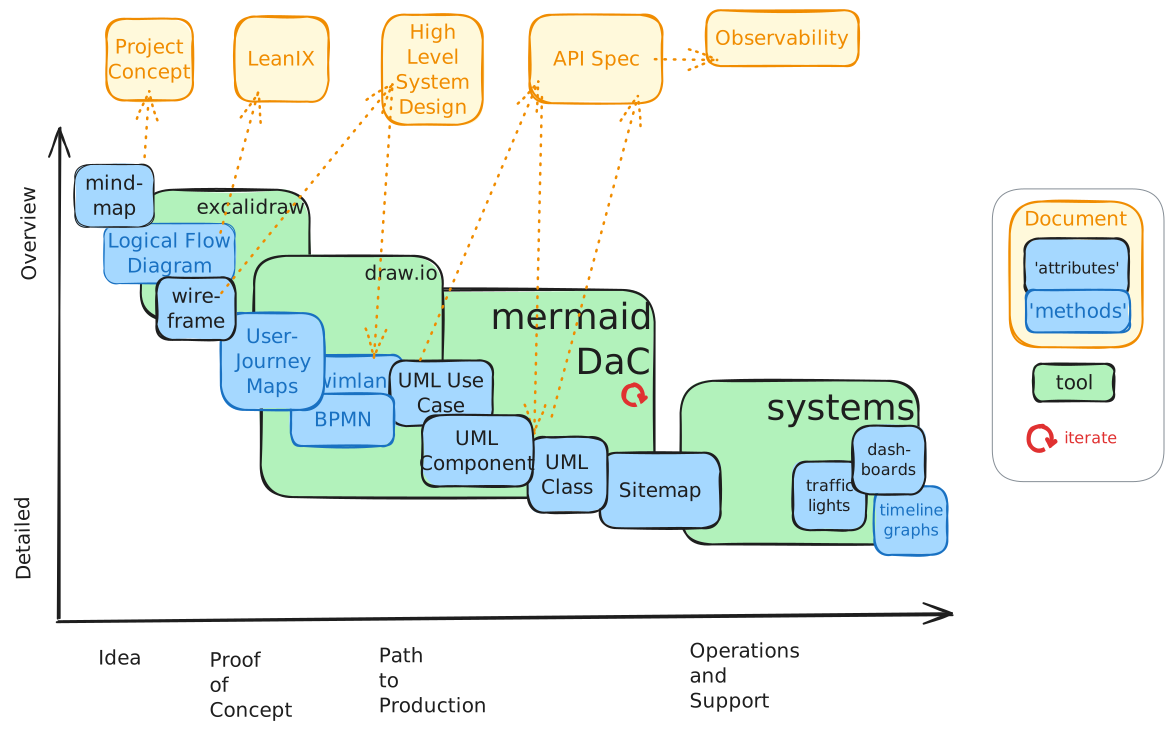
It is characterised by
- starting with conceptual diagramming and finishing with ongoing system generated diagrams
- broadly splits into two categories
- characteristics/attributes - constant elements which do no change
- behaviours/methods - dynamic aspects of the application
- early stage use of excalidraw, draw.io etc then move to detailed digramming ideally (semi-automated) e.g system generated ER or diagram as code, and finally ongoing systems representation of application behaviour for observability (performance, alerts etc. related to application)
Platform
The platform diagramming overview is depicted by:
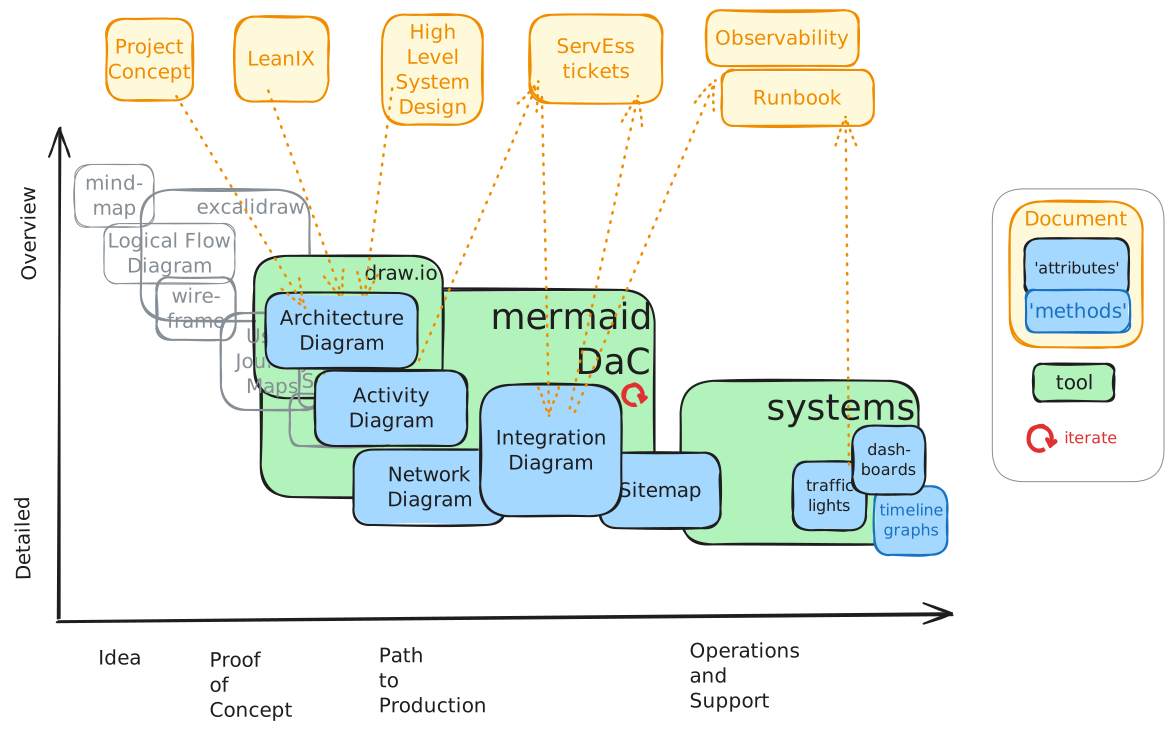
It is characterised by
- very much reflects the relationship between infrastructure and application
- bias towards "build" and "run" phases
- relies on eariler stage inputs from "idea" and "PoC" phases for planning and resourcing for "build"
Infrastructure
The infrastucture diagramming overview is depicted by:
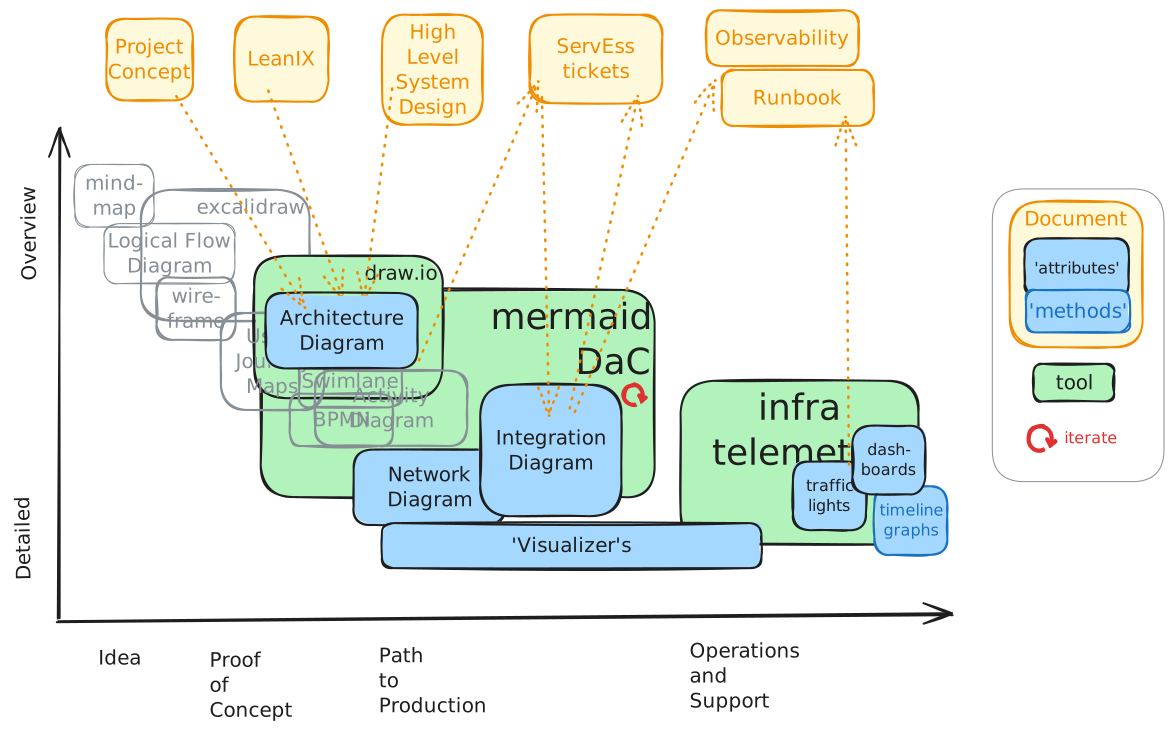
It is characterised by
- much of the diagramming is based on standard templates, with relatively minor alternations e.g. adding resource group names
- good possibilities to use 'visualizer' type tooling to automatically generate resource landscapes directly from information in the Cloud